Wot wot screen translator ej useful?
Ne kwoj maroñ select text eo im tap Translate, kajjioor built-in iPhone feature eo mokta. Ñan juon image wot, kwoj maroñ translate text ilo screenshot eo emwij save kake. OnScreen Translate ej useful ne kwoj jab maroñ select text ak kwon likkej riiti aolep screen ko ijin.
Messages im images
Riiti text ilo shared image, chat screenshot ak message ilo juon app eo ej jab kile translation option.
Shopping im delivery apps
Translate product images, menus im delivery information ne app eo ej jab kile kajin eo kwon aikuj.
Websites im app menus
Riiti buttons, labels im text eo kwoj jab maroñ copy. Translation eo ej walok ilo captured image eo ilo screen eo.
Games
Translate juon still menu, description ak dialogue. Mwijelok ñan aolep text eo ej walok mokta ne kwoj translate.
Set up Back Tap ñan translate
- Download im kka OnScreen Translate. Kõmaan kajin eo kwon aikuj translate ilo e.
- Kajjioor Magic Tap instructions ilo app eo im add kake translation shortcut eo ñan Shortcuts.
- Kka Settings, koba Accessibility, Touch im Back Tap.
- Kõmaan Double Tap ak Triple Tap im select translation shortcut eo kwaraar add kake. Kajeik bwe kwon select shortcut eo eka kalimjek standard Screenshot action eo.
- Kka screen eo koba clear text im jerbali gesture eo kwaraar kowot ilo back eo ilo iPhone am. Riiti translated result eo, im kile roñoul ñan app eo mokta.
Ne iPhone am ej koba Action Button, kwoj maroñ assign kake translation shortcut eo ñan button eo bwe. Back Tap im Action Button ej run kake shortcut eo; OnScreen Translate ej handle kake translation eo.
Riiti translation eo ilo screen layout eo
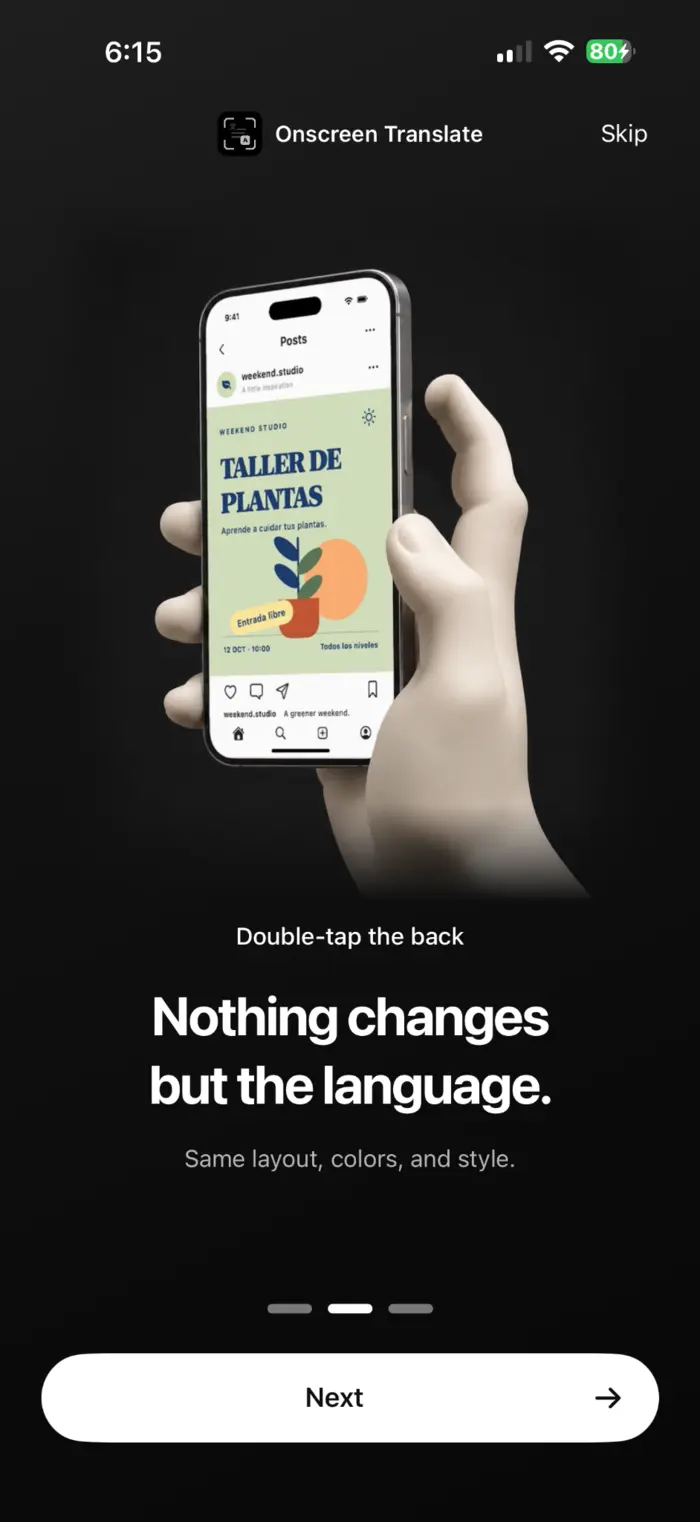
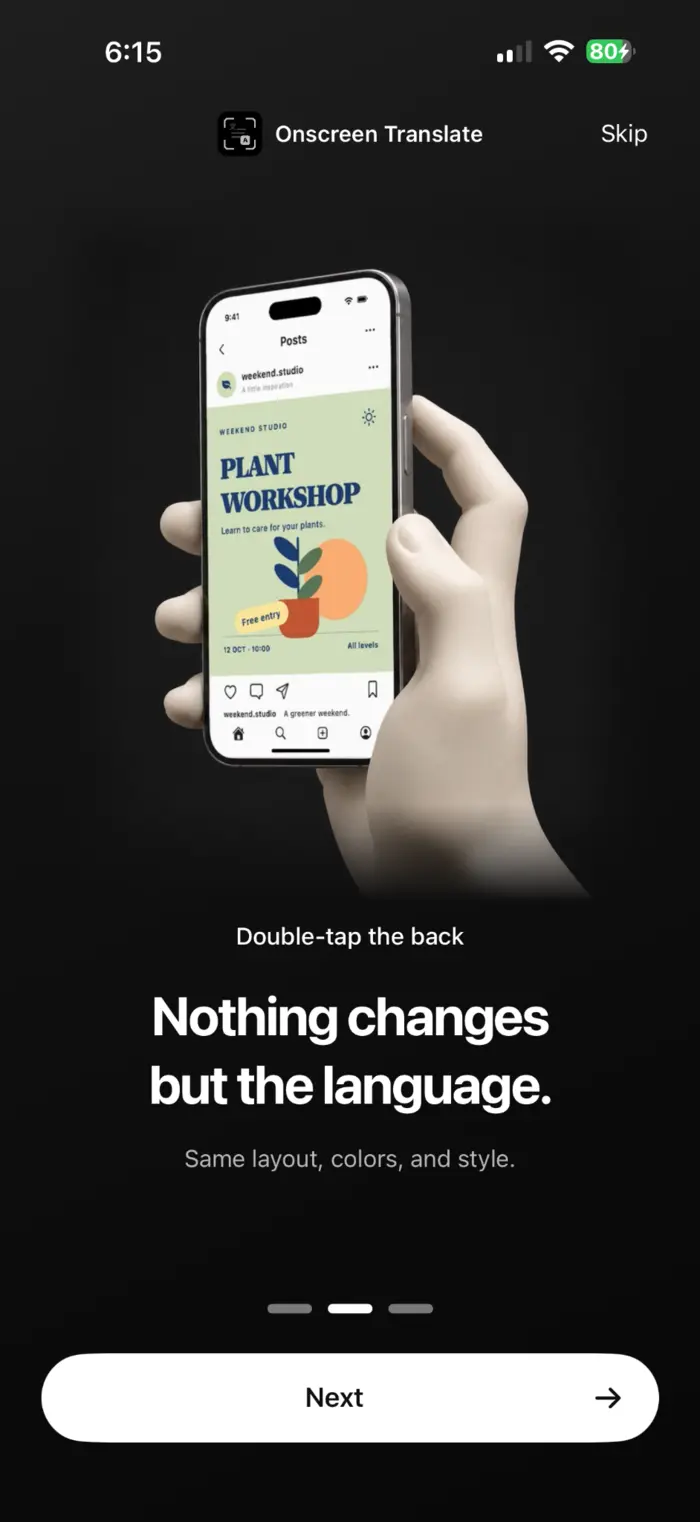
OnScreen Translate ej kijeik bwe en keep layout im styling eo bwe kwoj maroñ lo ta text eo ej belonging ñan button ak image aolep. Example images kii ej kwalok Spanish poster im English translation eo.
Ta bwe kwon jelã mokta ne kwoj translate
- Shortcut eo ej capture screen eo ne kwoj translate. Ej jab translate continuously ne kwoj scroll ak change buttons ko ilo original app eo.
- Small, moving ak decorative text ej maroñ recognized jab jerbal. Check important details ko koba original eo.
- OnScreen Translate ej free ñan download. Im koba free access aolep ne app eo ej kwalok, kwoj aikuj subscription ñan keep translate. Check App Store ñan prices im trial offers aolep.
Riiti privacy policy eo ñan information koba text recognition, translation im data processing. Privacy policy (English)
Kajjitok ko ekar walok
Kwoj maroñ translate screen eo im jab take screenshot koba kwoj make?
Yes. Ne kwaraar set up kake, shortcut eo ej capture screen eo ñan kwe. Kwoj translate juon screen mokta; ej jab translate automatically ne kwoj scroll.
Back Tap ej take screenshot wot. Ta bwe kwon change?
Check gesture eo kwaraar select ilo Settings. Kõmaan translation shortcut eo jen OnScreen Translate kajeik standard Screenshot action eo. Ne shortcut eo ej missing, add kake through app eo mokta.
Kwoj aikuj iOS 26?
App eo ej aikuj iOS 18.4 ak rainin. Background translation preview ej aikuj iOS 26 ak rainin. Ilo version ko emwij kwoletok, app eo ej kka ioon ñan kwalok result eo.
Kwoj maroñ translate text eo kwoj jab maroñ select?
Yes, ne text eo ej clear bwe en recognize. Ijin koba text ilo images, app menus im product information. Text recognition im translation ej maroñ koba mistakes.
Kajjioor ioon screen eo kwon likkej riiti.
Kõmaan translation language eo am, set up shortcut eo im translate juon screen.
Download ilo App Store