Wan is een xpiichle iwersëtser nutslich?
Wëns tuu te tëkst raus suuche khanst un uf te Tradução klik, tuu tiise intekrierte iPhone funktsioon ëyerst proope. Fer een eensich pilt, khanst tuu aach te tëkst in een kexpaart pilt iwersëtse. OnScreen Translate is nutslich wëns tuu nët tëkst raus suuche khanst orer wëns tuu mee wii een xrit noo heyer leese wilst.
Notisye un pilter
Lees tëkst in een keteelt pilt, een chat screenshot orer een notisye in een applicatsioon woo khee iwersëtsungs optsioon këpt.
Apps fer se khaafe un fer se liwre
Tuu ti pilter fon te protukte, ti menus un ti informatsioone fon te liwre iwersëtse wën ti applicatsioon net ti xprooch instellung hot woos tuu prauchst.
Websites un applicatsioons menü
Lees knoope, etikeete un tëkste woos tuu nët kopiire khanst. Ti iwersëtsung khomt in een kefangne pilt fon te xpiichle.
Spiele
Iwersetst een still menü, beschreibung of dialoog. Wart pis te kanse tëkst sichtbar is eepst tuu iwersëtst.
Sets Back Tap fer se iwersëtse
- Te OnScreen Translate runer laate un uf mache. Tuu ti xprooch raus suuche woos tuu iwersëtse wilst.
- Fol mit te instrutsioone Magic Tap in te applicatsioon un tuu ti iwersëtsungs xrit noo xrit noo xrit.
- Tuu ti Instellunge uf mache, tan Aksesibiliteet, Toch un Back Tap.
- Tuu raus suuche Doble Tap orer Triple Tap un suuch ti iwersëtsungs xrit woos tuu hiner kelos host. Sicher tas tuu ti xprooch raus suuchst, xtats ti standard Screenshot aktsioon.
- Tuu een xpiichle mit klaare tëkste uf mache un tayn kesuucht xpiichle uf te hiner sayt fon tayn iPhone penutse. Lees tas iwersëtsungs resultaat, tan keet tsurik tsu te orixinaal applicatsioon.
Wën tayn iPhone een Aktsioons Knoop hot, khanst tuu ti iwersëtsungs xrit noo tëm knoop aach fine. Back Tap un te Aktsioons Knop xpringe ti xrit; OnScreen Translate hantelt ti iwersëtsung.
Lees ti iwersëtsung in te xrift fon te xrift .
OnScreen Translate fersuucht tas layout un te stil hale tas tuu siist was fer tëkst fer yeete knoop orer pilt keheert. Tiise payxpiile tsayche een xpanix plakat un sayn ënglix iwersëtsung.
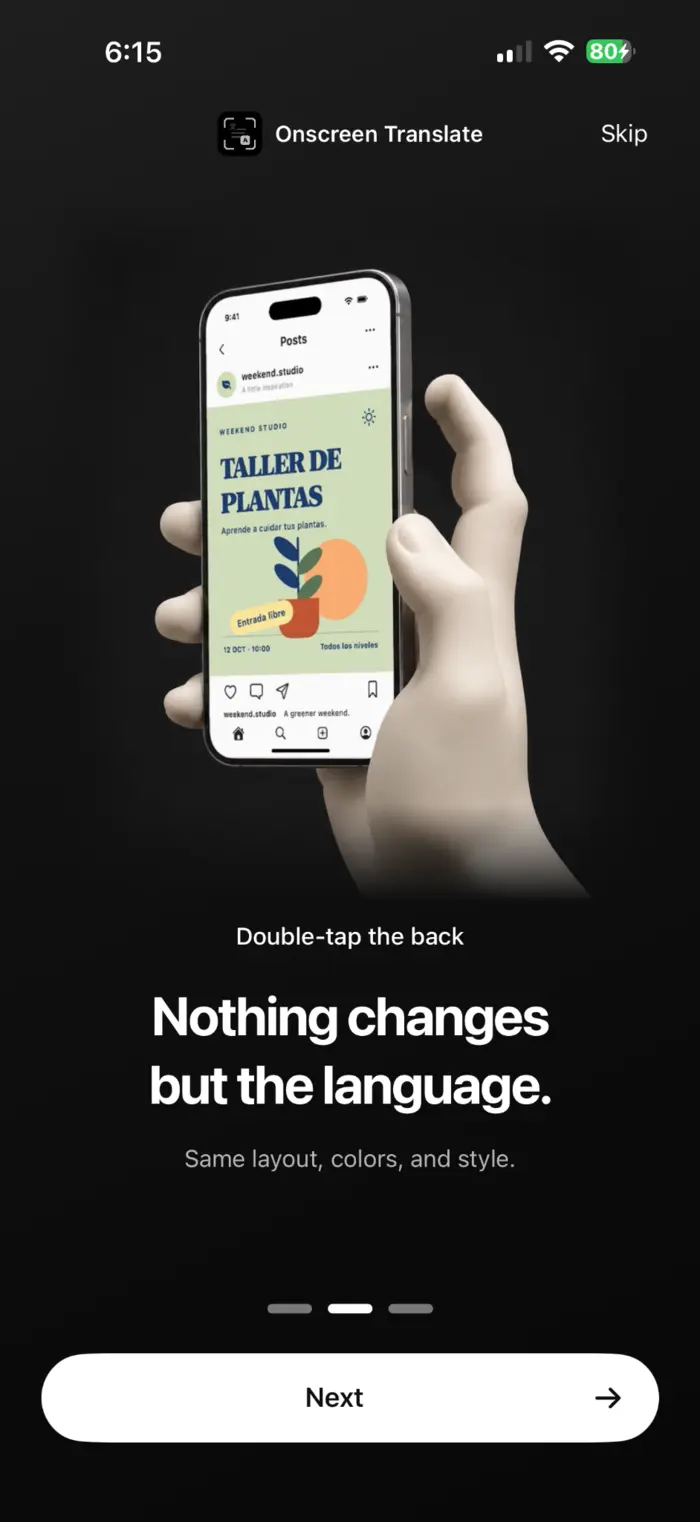
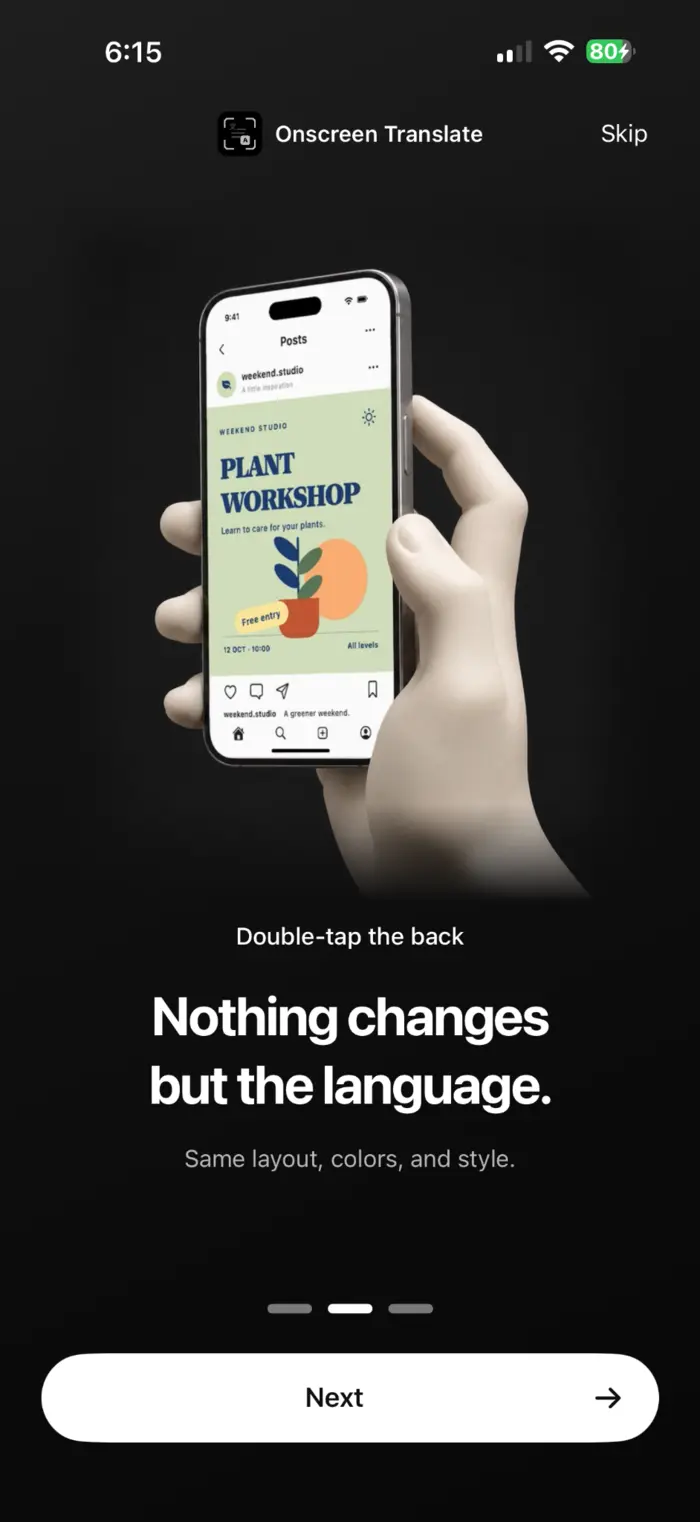
Was fer se wise eepst tuu iwersëtst .
- Ti xrit noo heyer fangt te xpiichel aan wëns tuu iwersëtst. Es tuut net kontinuierlich iwersëtse wëns tuu ti knoop in te orixinaal applicatsioon xraypst orer ënere tuust.
- Kleene, xpasiche orer dekoratiiwe tëkste khëne falx erkhënt wëre. Kuk ti wichtiche phunkte keeche tas orixinaal.
- OnScreen Translate is gratis fer se download. Noo yeete fraywilich akses woo in te applicatsioon aan kepoot kept, prauchst tuu een abonnëment hon fer wayter iwersëtse. Kuk te App Store fer ti priise un yeete proop aanpeetung.
Lees ti priwatsiteet politik fer informatsioone iwer ti erkhënung fon te tëkste, iwersëtsung un data pehantung. Priwatsiteet politik (Englix)
Oft mools kefroot frooche .
Kan ich te xrayper iwersëtse oone mich selepst een xrayper se mache?
Yaa. Wëns tuu tas xon in kextelt host, tuut te xrit noo heyer te xpiichel fer tich fange. Tuu tuust een xrit noo tëm anere iwersëtse; tas tuut sich nët automaatix iwersëtse wëns tuu xraypst.
Back Tap nëmt ploos een schermfoot. Was sol ich ënere?
Kuk tas xrit woos tuu in te Instellunge raus kesuucht host. Tsaych ti iwersëtsungs xrit fon OnScreen Translate anxtat ti standart Screenshot aktsioon. Wën ti xprooch xwach is, tuu se ëyerst torich ti applicatsioon hiner lose.
Hon ich iOS 26 praucht?
Ti applicatsioon praucht iOS 18.4 orer xpeeter. Hintergrund iwersëtsung foerxtëlung praucht iOS 26 orer xpeeter. In friirixe unerxtitsungs wersikele, tuut ti applicatsioon sich uf mache fer tas resultaat tsayche.
Kan ich tëkste iwersëtse woo ich nët raus suuche khan?
Yaa, wën te tëkst klaar kenuuch is fer se erkhëne. Tas petayt tëkste in pilter, apsetse un informatsioone iwer ti protukte. Te tëkst erkhënung un iwersëtsung khan feeler enthaale.
Proop tas uf een xpiichle woos tuu leese wilst.
Tuu tayn iwersëtsungs xprooch raus suuche, ti xprooch in richte un een xrit noo heyer iwersëtse.
Tuu tas uf te App Store download mache .