Thaum twg tus txhais lus screen pab tau?
Yog tias koj tuaj yeem xaiv cov ntawv nyeem thiab coj mus rhaub Txhais, sim ua qhov ua haujlwm hauv iPhone ua ntej. Rau ib daim duab, koj tuaj yeem txhais cov ntawv hauv ib qho screenshot. OnScreen Translate muaj txiaj ntsig thaum koj tsis tuaj yeem xaiv cov ntawv lossis xav nyeem ob peb lub vijtsam hauv kab.
Cov lus thiab cov duab
Nyeem cov ntawv hauv cov duab sib koom, sib tham screenshot lossis cov lus hauv app uas tsis muaj kev xaiv txhais lus.
App khw muag khoom thiab xa khoom
Txhais cov duab khoom, cov ntawv qhia zaub mov thiab cov ntaub ntawv xa khoom thaum lub app tsis muaj cov lus teeb tsa koj xav tau.
Cov websites thiab app menus
Nyeem cov nyees khawm, daim ntawv lo thiab cov ntawv uas koj luam tsis tau. Cov txhais lus tshwm nyob rau hauv ib tug captured duab ntawm lub screen.
Ua si
Txhais cov ntawv qhia zaub mov tseem, piav qhia lossis kev sib tham. Tos kom txog thaum pom tag nrho cov ntawv nyeem ua ntej koj txhais.
Teeb tsa Back Tap los txhais
- Download tau thiab qhib OnScreen Translate. Xaiv hom lus koj xav txhais ua.
- Ua raws li Magic Tap cov lus qhia hauv lub app thiab ntxiv cov lus txhais luv rau Shortcuts.
- Qhib Chaw, tom qab ntawd Accessibility, Kov thiab Back Tap.
- Xaiv Ob Chav Kais lossis Triple Kais thiab xaiv cov lus txhais luv uas koj ntxiv. Nco ntsoov tias koj xaiv qhov shortcut es tsis yog tus qauv Screenshot ua.
- Qhib lub vijtsam nrog cov ntawv ntshiab thiab siv koj cov lus taw qhia uas koj xaiv nyob rau sab nraum qab ntawm koj iPhone. Nyeem cov txiaj ntsig tau txhais, tom qab ntawd rov qab mus rau qhov qub app.
Yog tias koj lub iPhone muaj khawm Ua Haujlwm, koj tuaj yeem muab cov lus txhais luv rau lub pob ntawd. Back Tap thiab Action Button khiav qhov shortcut; OnScreen Translate tuav cov lus txhais.
Nyeem cov lus txhais hauv qhov screen layout
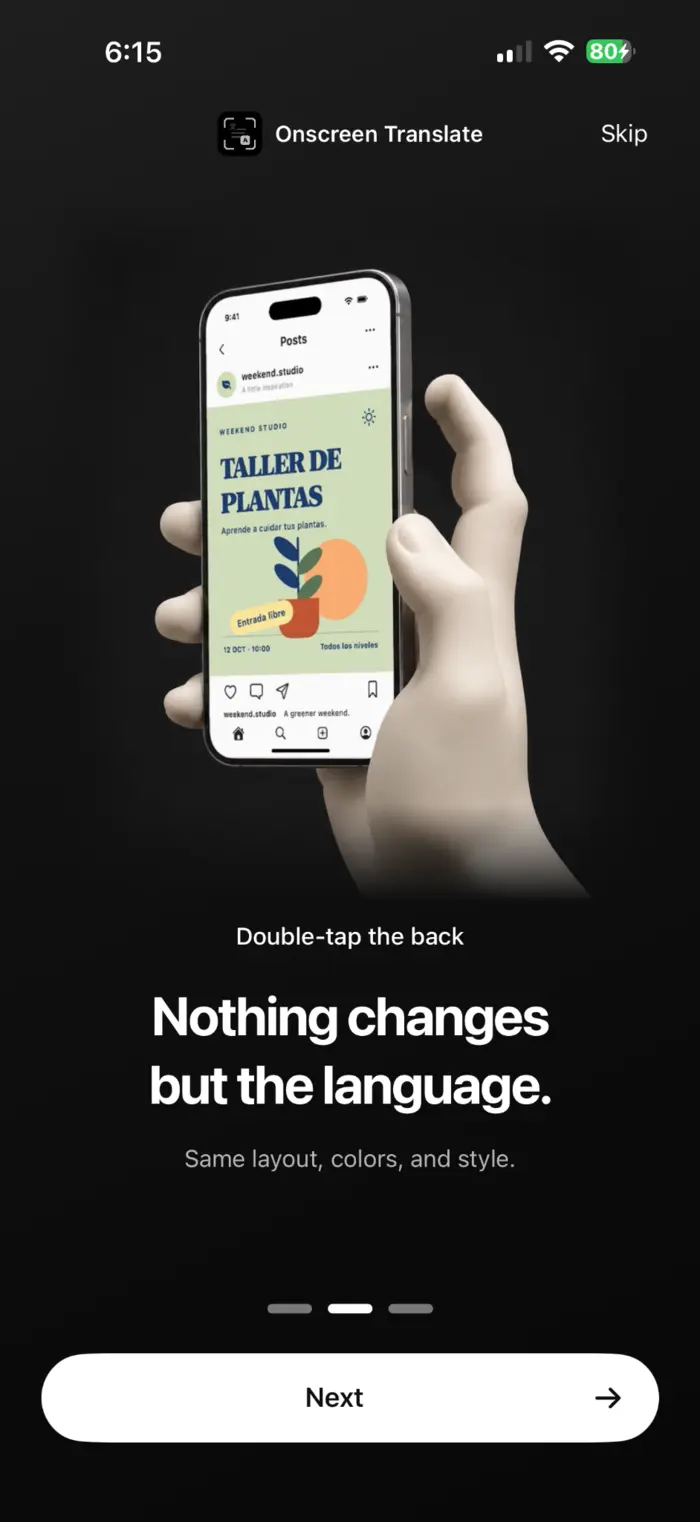
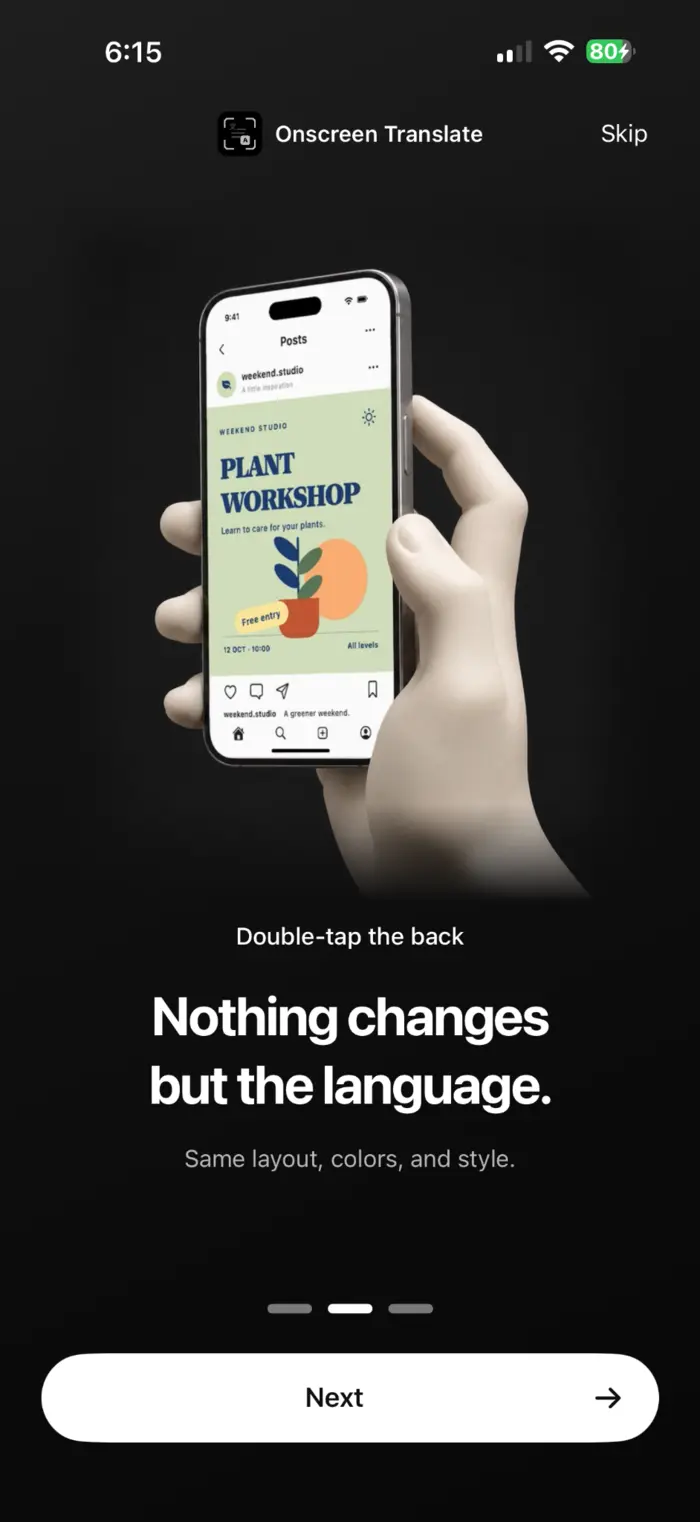
OnScreen Translate sim khaws cov layout thiab styling kom koj tuaj yeem pom cov ntawv twg nyob rau txhua lub pob lossis duab. Cov duab piv txwv no qhia ib daim ntawv tshaj tawm Spanish thiab nws cov lus Askiv txhais lus.
Yuav paub dab tsi ua ntej koj txhais
- Lub shortcut captures lub vijtsam thaum koj txhais lus. Nws tsis txhais tsis tu ncua thaum koj scroll lossis hloov cov nyees khawm hauv thawj app.
- Cov ntawv me me, txav los yog dai kom zoo nkauj tuaj yeem lees paub tsis raug. Tshawb xyuas cov ntsiab lus tseem ceeb tawm tsam tus thawj.
- OnScreen Translate yog dawb mus download tau. Tom qab ib qho kev nkag pub dawb pub dawb rau hauv lub app, koj xav tau kev tso npe yuav tsum tau txhais lus. Tshawb xyuas App Store rau cov nqi thiab txhua qhov kev sim.
Nyeem txoj cai ntiag tug kom paub txog cov ntawv nyeem, txhais lus thiab ua cov ntaub ntawv. Txoj Cai Tswjfwm Ntiag Tug (English)
Cov lus nug uas nquag nug
Kuv puas tuaj yeem txhais qhov screen yam tsis tau thaij duab rau kuv tus kheej?
Yog lawm. Thaum koj tau teeb tsa, qhov shortcut captures qhov screen rau koj. Koj txhais ib qho screen ib zaug; nws tsis txhais tau tias koj scroll.
Back Tap tsuas yog siv lub screenshot. Kuv yuav tsum hloov dab tsi?
Txheeb xyuas qhov taw qhia koj xaiv hauv Chaw. Xaiv qhov shortcut txhais lus los ntawm OnScreen Translate es tsis txhob tus qauv Screenshot ua. Yog tias qhov shortcut ploj lawm, ntxiv nws los ntawm lub app ua ntej.
Kuv puas xav tau iOS 26?
Lub app xav tau iOS 18.4 lossis tom qab ntawd. Kev saib ua ntej tom qab txhais lus yuav tsum muaj iOS 26 lossis tom qab ntawd. Ntawm cov ntawv txhawb nqa ua ntej, lub app qhib los qhia qhov tshwm sim.
Kuv puas tuaj yeem txhais cov ntawv uas kuv xaiv tsis tau?
Yog lawm, yog cov ntawv nyeem meej txaus kom paub. Qhov no suav nrog cov ntawv hauv cov duab, app menus thiab cov ntaub ntawv khoom. Kev lees paub ntawv thiab kev txhais lus tuaj yeem muaj qhov yuam kev.
Sim nws ntawm ib qho screen koj xav nyeem.
Xaiv koj cov lus txhais lus, teeb tsa lub shortcut thiab txhais ib qho screen.
Download tau ntawm App Store