Tra ta cooney liorish çhyndaa sccreen?
Mannagh nod oo reih ny focklyn as stroo Çhyndaa, trooid yn eab s'jerrey er iPhone cheayrt son y cheayrt. Son un jalloo, nod oo cur çhyndaa er focklyn ayns screeaney-ghalloo coadey. Ta OnScreen Translate cooney tra nagh nod oo reih focklyn ny tra t'ou geaishtey er lhaih kuse dy screeaney dy cheayrt.
Sckeealyn as jallooyn
Lhaih focklyn ayns jalloo cooidjagh, screeaney-ghalloo skeeal ny skeeal ayns aapp nagh vel cur reih çhyndaays da.
Aappyn gien as cur magh
Cur çhyndaa er jallooyn targarys, rolley as fysseree cur magh tra nagh vel y çhengey er y aapp ta kione ec.
Lhiattee-voyllyn as rolley aapp
Lhaih botunnyn, lymbyl as focklyn nagh nod oo coipley. Ta'n çhyndaays ry-akin ayns jalloo coadey jeh'n sccreen.
Spoyrt
Cur çhyndaa er rolley fendeil, coontey ny skeeal. Fait dy row ny focklyn dy liooar roish cur çhyndaa.
Cur er bun Back Tap son çhyndaa
- Lughtaghey as fosley OnScreen Translate. Reih yn çhengey t'ou geaishtey cur çhyndaa stiagh.
- Eiyrt screeuyn Magic Tap ayns y aapp as cur y giare-voyll çhyndaays dys Short cuts.
- Fosley Settings, eisht Accessibility, Touch as Back Tap.
- Reih Double Tap ny Triple Tap as reih y giare-voyll çhyndaays ren oo cur stiagh. Jeeagh dy reih oo y giare-voyll ayns ynnyd y ghooie Screenshot.
- Fosley sccreen lesh focklyn glen as cur dty ghestyr reihit er cul d'iPhone. Lhaih yn eab çhyndaait, eisht gow er ash dys yn aapp cheet.
Mannagh vel Botunn Gobbraghey ec d'iPhone, nod oo cur y giare-voyll çhyndaays gys y votunn shen chammah. Ta Back Tap as y Botunn Gobbraghey roie y giare-voyll; ta OnScreen Translate stiurey yn çhyndaays.
Lhaih yn çhyndaays ayns sampleyr yn sccreen
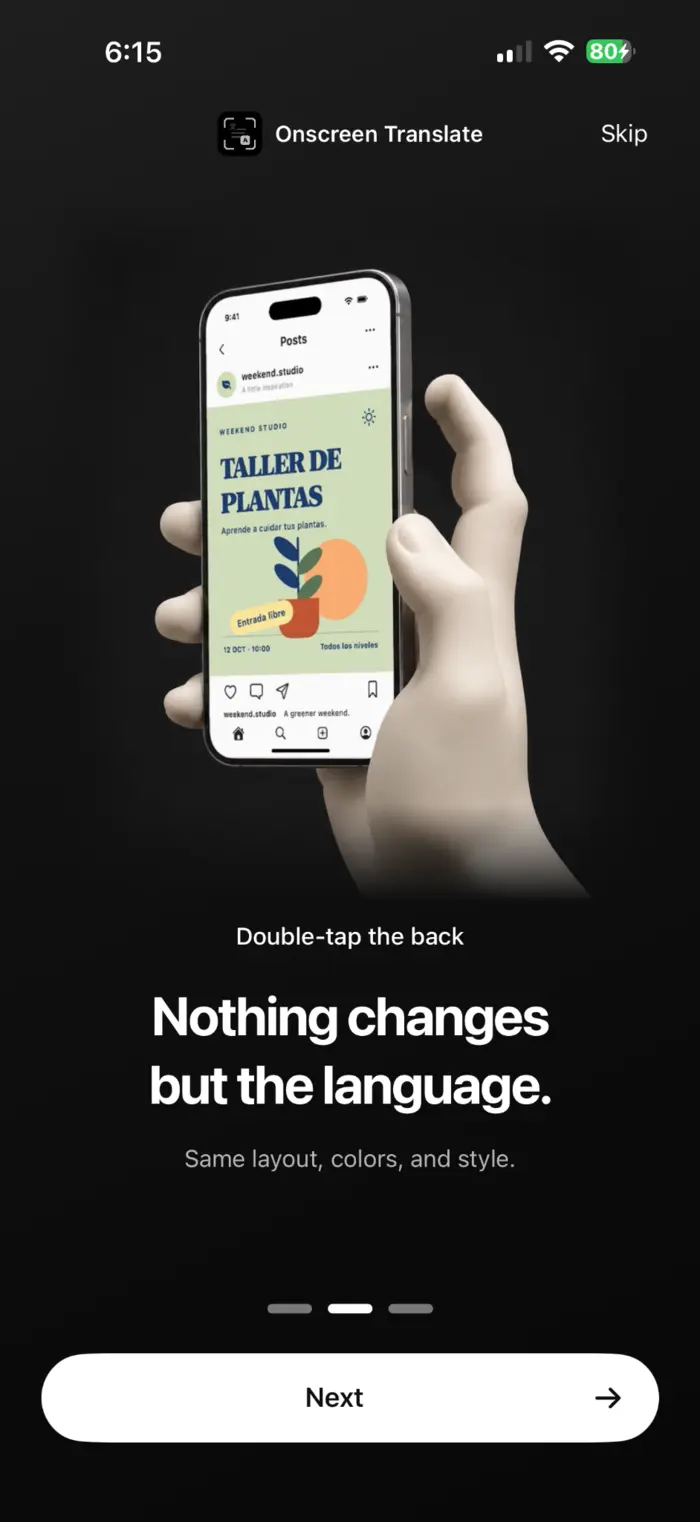
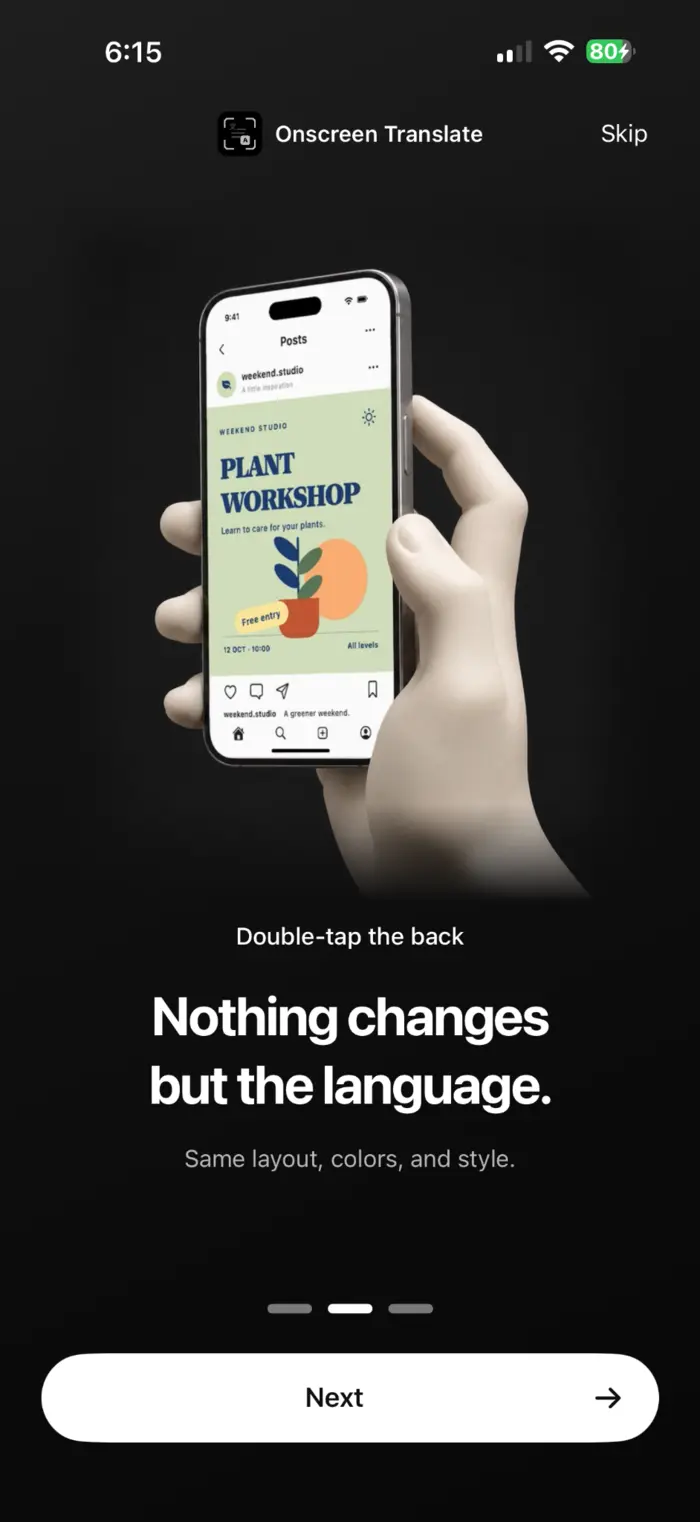
Ta OnScreen Translate eab freayll yn sampleyr as ystayl dy nod oo jeeaghyn cre'n fockyl t'ec gagh botunn ny jalloo. Ta ny jallooyn sampleyr shoh taishbyney posteyr Spaainagh as e çhyndaays Baarle.
Cre dy ghimen roish cur çhyndaa
- Ta'n giare-voyll coadey yn sccreen tra t'ou cur çhyndaa. Cha nel eh cur çhyndaa dy treayn tra t'ou stroo ny caghlaa ny botunnyn ayns yn aapp bun.
- Fockenyn beggey, cloiet ny cooyrtysyn nod ad goll er reih dy anjeilagh. Jeeagh coontey keylaghyn er y bun.
- Ta OnScreen Translate my saase dy lughtaghey. Lurg dagh roshtyn my saase ayns y aapp, t'ou feme er coontys dy freayll çhyndaays. Jeeagh er y App Store son prisyn as eabyn eab.
Lhaih slane coadey fysseree son fysseree mysh reih focklyn, çhyndaays as stiurey fysseree. Slane coadey fysseree (Baarle)
Jerrey-roayrt feyshtyn ennagh
Nodym cur çhyndaa er y sccreen gyn coadey sccreen m'eue hene?
Jee. Lurg cur er bun, ta'n giare-voyll coadey yn sccreen dhyt. T'ou cur çhyndaa er un sccreen tra son tra; cha nel eh cur çhyndaa dy heose tra t'ou stroo.
Ta Back Tap coadey sccreen ynrican. Cre ba ragh er caghlaa?
Jeeagh y gestyr ren oo reih ayns Settings. Reih y giare-voyll çhyndaays veih OnScreen Translate ayns ynnyd y ghooie Screenshot. Mannagh vel y giare-voyll ayn, cur eh stiagh trooid y aapp dy tooseydy.
Nodym feme er iOS 26?
Ta'n aapp jerrey iOS 18.4 ny ny s'anmey. Ta roie-haishbyn çhyndaays cul-raght jerrey iOS 26 ny ny s'anmey. Er lh talmadyn ta coyrt cooney roish shen, ta'n aapp fosley dy theayaghey yn eab.
Nodym cur çhyndaa er focklyn nagh nodym reih?
Jee, mannagh vel y fockyl ro-ghlen dy reih. Shoh goaill stiagh focklyn ayns jallooyn, rolley aapp as fysseree targarys. Nod reih focklyn as çhyndaays goll er messey.
Cur eab er sccreen t'ou geaishtey lhaih.
Reih dty çhengey çhyndaays, cur er bun y giare-voyll as cur çhyndaa er un sccreen.
Lughtaghey dy laue er y App Store