Ye nɛn yen yenë gɛ̈tgɛ̈t de wël ë thäät ë thäät ë thäät ë thäät?
Na lëu ba wël kuany ku tääu ë wël ë thööŋ, them ba kë cï yïk në iPhone yic tueŋ. Në thura tökic, yïn alëu ba wël ëya dɛ̈t waaric në thäät cï keek tɔ̈ɔ̈u yiic. OnScreen Translate ee kë puɔth të cïn lëu ba athör kuany wala wïc ba athör juëc kueen në thäät yiic.
Wël ku thuraai
Kuen wël tɔ̈ në thura cï rɔm yic, thööŋ de jam në thäät yiic ka wël tɔ̈ në app yic cïn kë cë yök në thäät yiic.
Apps ke ɣɔɔc ku tuɔɔc de käŋ
Tääu ë thuraa ke käŋ, menus ku wël ë gɛ̈tpiny të cïn app ë lööŋ ë thoŋ wïc.
Abɔn de wɛbthait ku käke app
Kuen ë button, lööŋ ku wël ë lëk ë yïn acïï lëu ba keek gɔ̈t. Kë cï waaric ee rot nyuɔɔth në thura cï dɔm në thëm de thëm.
Käke pol
Waric kë ŋoot ke tɔ̈u, luɛɛl wɛ̈lɛ̈/ka jam. Tääu ë yïnhom agut cï bï wël ëbɛ̈n tïŋ ke yïn këc wël waaric.
Tääu Back Tap bï waaric
- Dääp ku lëp OnScreen Translate. Kuany thoŋ wïc ba waaric thïn.
- Tääu ë lööŋ Magic Tap cök në app yic ku tääu ë dhöl ë gɛ̈tgɛ̈t ë wël ë thäät.
- Löny ë Ɣän ë Löŋ, ku jɔl ya Ɣän ë Löŋ, Tɔ̈ɔ̈u ku Back Tap.
- Kuany Tääu ë Rou wala Tääu ë Diäk ku kuany dhöl ë gɛ̈tgɛ̈t cï tääu thïn. Tïŋ lɔn cï yïn dhöl thiin koor kuany ke cie dhöl ë luɔi ë Screenshot ë thäät.
- Löny ë thäät ë thäät ë thäät ku luɔ̈ɔ̈i ë thäät cï kuany yiic në thäät ë thäät ë iPhone du yic. Kuen kë cï yök cï waaric, ku dhuk ciëën në app thɛɛr yic.
Na nɔŋ iPhone du ë Ɣän ë Luɔɔi, yïn alëu ba dhöl ë gɛ̈tgɛ̈t ë wël ë thäät tääu thïn aya. Back Tap ku Ɣän ë Luɔɔi ë thäät ë thäät; OnScreen Translate ë thäät ë thäät ë thäät.
Apple: të lëu bï yïn Back Tap luɔ̈ɔ̈i thïn (Thoŋ ë Dïŋëlith)
Kuen wël cï ke waar yiic në tɛ̈ɛ̈u de screen yic
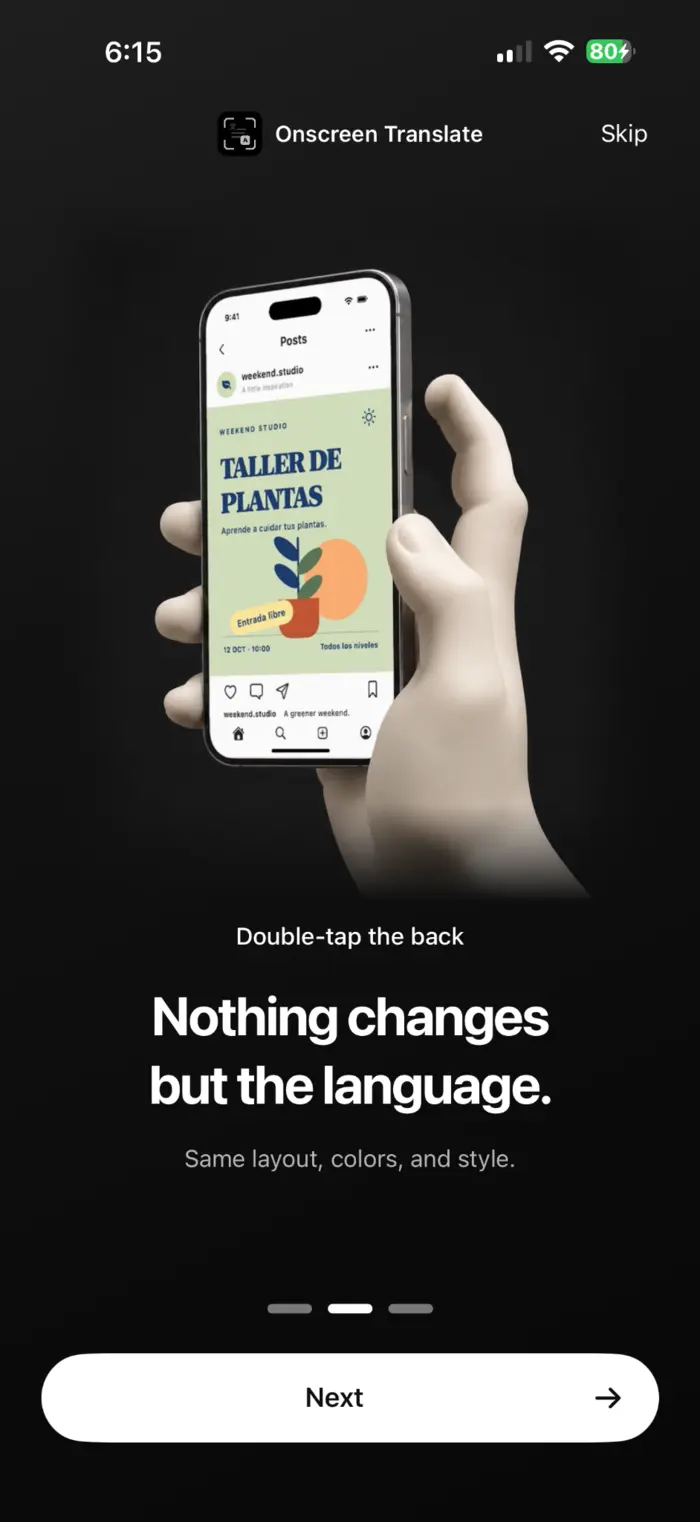
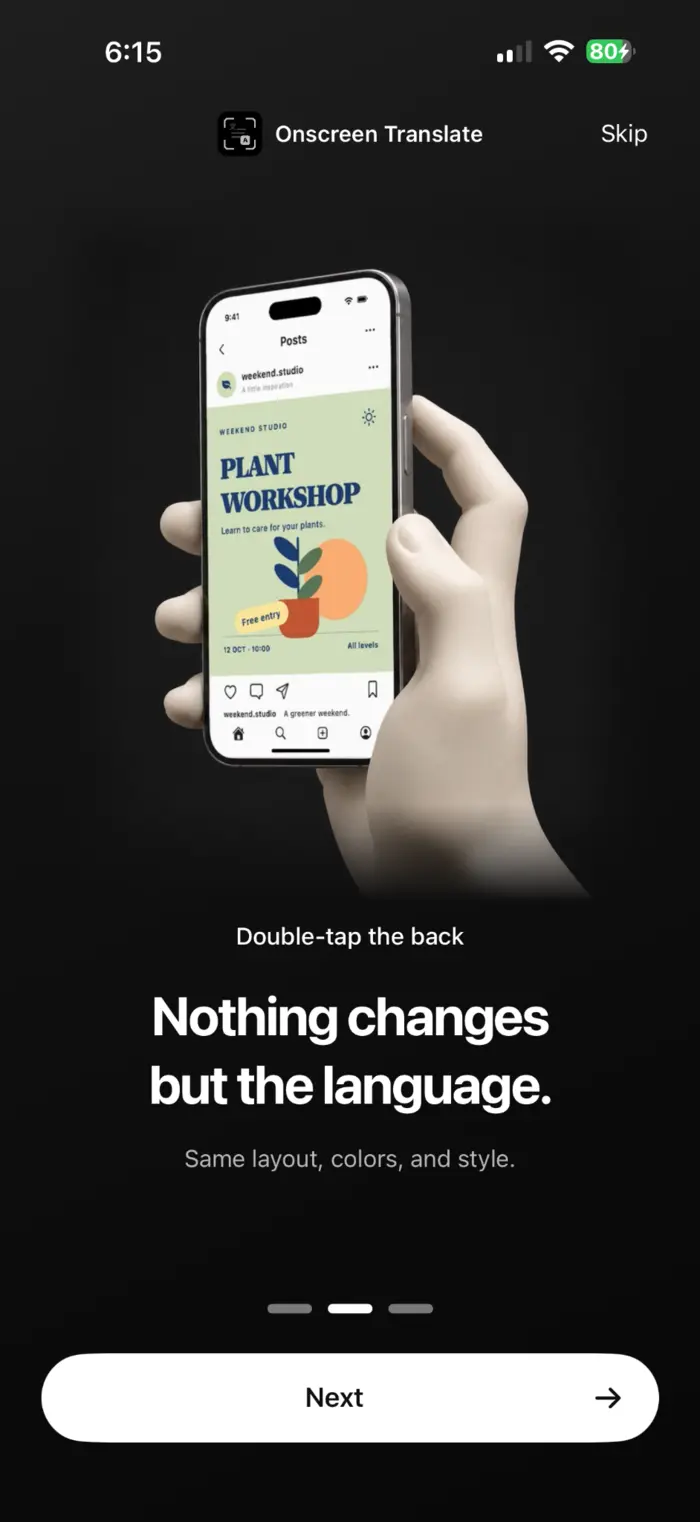
OnScreen Translate ee them bï thööŋ ku thööŋ de käŋ ya muk ago yïn ya tïŋ ye athör yïndë yen tɔ̈ në thäät yiic ka thura yiic. Kä ye nyuɔɔth käkë aye thura de Spanish nyuɔɔth ku wɛ̈ɛ̈rë yic de thoŋ ë Liŋëlith.
Kë ba nyic ke yïn këc wɛ̈t waaric
- Aciëŋ ë thäät ë thäät ë thäät ë thäät ë thäät. Acïï rot ye waaric ë thää yiic të wïc yïn ba thök ë thök ë thök ë app ë thök.
- Kä thiik, kä cath wala kä cï keek dhuëëŋ aalëu bïk ya ŋic në dhöl cie yic. Tïŋ wël thiekiic thöŋ ke wël thɛɛr.
- OnScreen Translate ë thäät ë thäät. Të cïn yök ë thää ë yök ë app yic, yïn awïc ba gɛ̈tpiny ba ŋot ke yïn waaric. Tïŋ App Store ë thää ku gɛɛr ë thëm ë thää.
Kuen lööŋ ke gël de wël ë lëk alɔŋ ë ŋic ë wël, gɛ̈tgɛ̈t ku gël de wël. Lööŋ ke gël de raan (Thoŋ de Liŋëlith)
Kä ye lac thiëëc
Ye ɣɛn lëu ba athör waaric ke ɣɛn këc athör ë thööŋ dɔm në rɔt?
Ee yeen. Na cï yïn tääu piny, ke dhöl thiin koor abï yïn dɔm. Yïn ee athör tök waaric në thaa tökic; acie rot ye waaric yetök të tɔ̈u yïn thïn.
Back Tap ë thäät ë thäät ë thäät. Yeŋö ba waar?
Tïŋ ë thööŋ cï kuany në Käk ë Luɔɔi. Kuany dhöl ë gɛ̈tgɛ̈t ë wël ë thäät ë OnScreen Translate ë thäät ë luɔi ë thäät ë thäät. Na cï dhöl thiin koor yök, ke yïn tääu thïn në app yic tueŋ.
Ɣɛn wïc iOS 26?
App ë wïc iOS 18.4 wala thäät kɔ̈k. Tɛ̈k-tɛ̈k de wël cï keek waar yiic akɔɔr iOS 26 wala kë bɔ̈ ciëën. Në thɛɛr cï keek kuɔɔny yiic, app acï liep bï kë cï yök nyuɔɔth.
Ye ɣɛn lëu ba wël cï gɔ̈t waaric ë ke cïï lëu ba ke kuany?
Ee, na cï wël cï gɔ̈t ŋic apath bïk ŋic. Kënë anɔŋic wël tɔ̈u në thura yic, menus ke app ku wël ke käk ë ɣɔɔc. Tɛ̈ŋ de wël ku gɛ̈r de wël alëu bï naŋ kä cï röt wuɔ̈ɔ̈c.
Tɛ̈m ë thëm ë thëm wïc ba kueen.
Kuany thoŋdu ë gɛ̈tgɛ̈t, tääu ë dhöl thiin koor ku gɛ̈tgɛ̈t ë thäät tök.
Tääu ë käŋ piny në App Store .